





Dokan Pro Free Download: Is It Really Possible? Safe Alternatives & Complete Guide
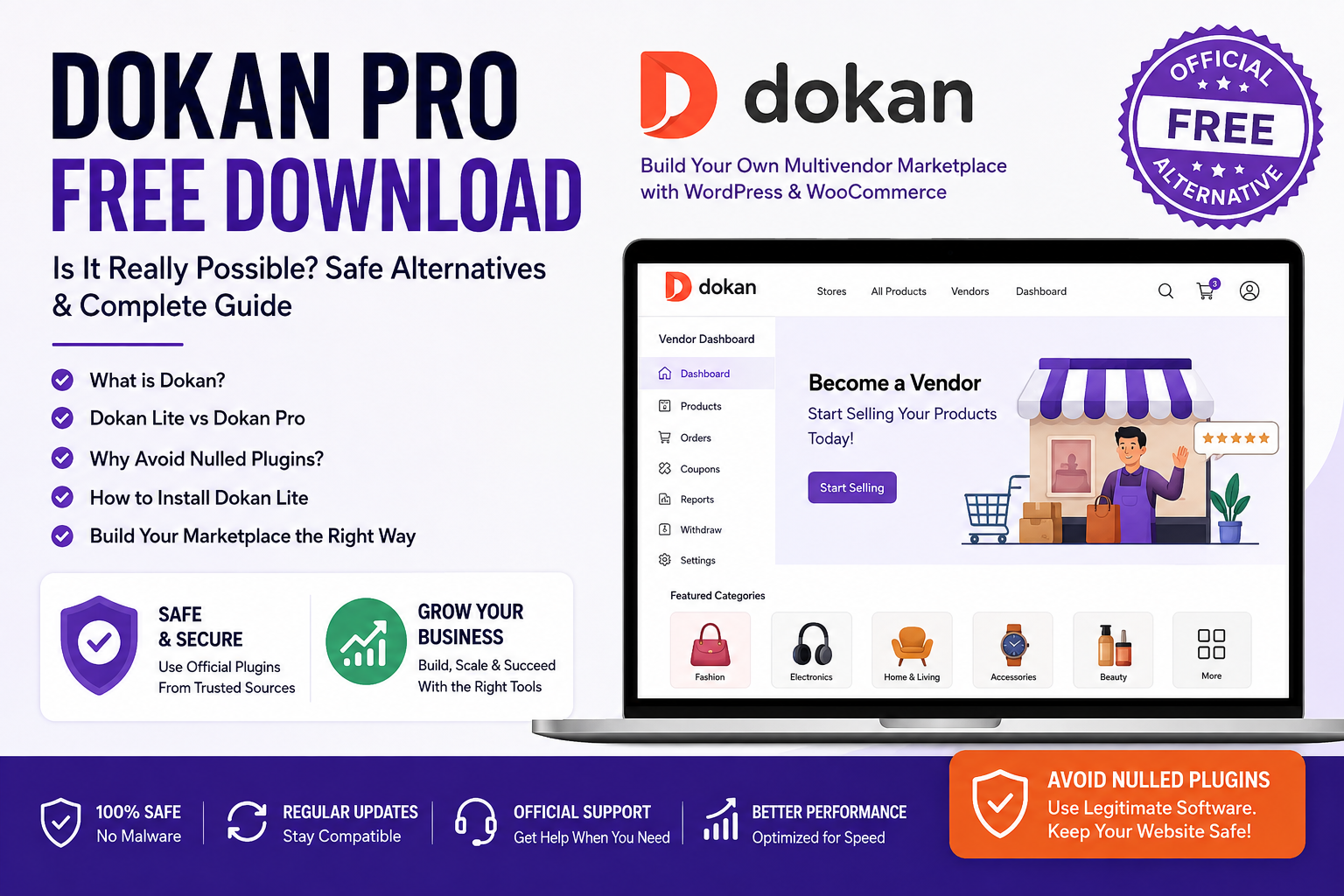
If you are looking for “Dokan Pro Free Download”, you may find many websites offering free ZIP files, nulled plugins, or modified versions of Dokan Pro. However, downloading premium WordPress plugins from unofficial sources can create serious security and website-performance risks.
The good news is that there is an official free version of Dokan called Dokan Lite, which can be downloaded and used without purchasing the Pro version. In this guide, we explain the difference between Dokan Lite and Dokan Pro, what features you get for free, and the safest way to build a multivendor marketplace with WordPress.
What Is Dokan?
Dokan is a popular multivendor marketplace plugin for WordPress and WooCommerce. It allows you to turn a WooCommerce website into a marketplace where multiple vendors can register, create stores, add products, manage orders, and receive commissions.
With Dokan, you can build marketplaces similar in concept to platforms where different sellers operate their own stores under one website.
Is Dokan Pro Available for Free?
The official Dokan Pro version is a premium product. It is not legitimately available as a permanently free Pro download.
You may see websites advertising:
- Dokan Pro Free Download
- Dokan Pro Cracked
- Dokan Pro Nulled
- Dokan Pro GPL Download
- Dokan Pro Latest Version Free
Be careful with these downloads. Modified WordPress plugins can contain malicious code, backdoors, spam links, hidden administrators, or other unwanted scripts.
For a production website, downloading plugins from unofficial sources is not recommended.
Dokan Lite – The Official Free Alternative
If you want to start without paying for Dokan Pro, Dokan Lite is the safer option.
Dokan Lite provides the basic functionality required to start a WooCommerce multivendor marketplace. You can install it directly through the WordPress plugin directory and upgrade to Pro later if you need advanced functionality.
Some common Dokan Lite capabilities include:
- Vendor registration
- Vendor dashboard
- Vendor store management
- Product management
- WooCommerce integration
- Vendor order management
- Basic commission functionality
- Vendor storefronts
- Basic marketplace management
The exact features available can change between versions, so always check the current official Dokan documentation before planning your marketplace.
Dokan Lite vs Dokan Pro
| Feature | Dokan Lite | Dokan Pro |
|---|---|---|
| Basic Multivendor Marketplace | Yes | Yes |
| Vendor Dashboard | Yes | Yes |
| Vendor Store | Yes | Yes |
| WooCommerce Integration | Yes | Yes |
| Vendor Product Management | Basic | Advanced |
| Advanced Vendor Features | Limited | Yes |
| Advanced Commission Options | Limited | More options |
| Additional Modules | Limited | More modules |
| Premium Support | No | Yes |
Dokan Pro is designed for businesses that need more advanced marketplace functionality.
How to Install Dokan Lite for Free
You don’t need to download a ZIP file from an unknown website.
Step 1: Install WooCommerce
First, install and configure WooCommerce on your WordPress website.
WooCommerce provides the basic eCommerce functionality required for your marketplace.
Step 2: Install Dokan Lite
From your WordPress dashboard:
Plugins → Add New Plugin
Search for:
Dokan
Choose the official Dokan plugin and install it.
Step 3: Activate the Plugin
Click Activate after the installation is completed.
Dokan will then provide setup options for configuring your marketplace.
Step 4: Configure Vendor Settings
Configure important marketplace settings such as:
- Vendor registration
- Vendor selling permissions
- Commission settings
- Product publishing
- Withdrawal settings
- Store options
- Order management
Step 5: Configure WooCommerce
Make sure your WooCommerce settings are correctly configured for:
- Payments
- Shipping
- Taxes
- Customer accounts
- Order emails
Step 6: Test Your Marketplace
Before inviting real sellers, create a test vendor account and check the complete workflow.
Test:
- Vendor registration
- Product submission
- Product approval
- Customer purchase
- Order processing
- Vendor commission
- Vendor withdrawal
Testing these functions before launch can prevent problems later.
Why You Should Avoid Nulled Dokan Pro
A nulled plugin may appear attractive because it gives you premium features without payment. However, the risks can be much greater than the cost of a legitimate license.
1. Security Risks
Modified plugins can contain malicious code that compromises your WordPress website.
2. No Reliable Updates
WordPress, WooCommerce, PHP, and other plugins are regularly updated. An unofficial copy may not receive safe and reliable updates.
3. Compatibility Problems
A modified version can stop working after a WordPress or WooCommerce update.
4. Website Performance
Malicious scripts or unnecessary code can negatively affect website performance.
5. No Official Support
If something breaks, the official Dokan support team may not be able to help with an unauthorized version.
6. SEO Problems
Compromised websites can contain hidden spam pages, links, or redirects that can damage search-engine visibility.
Can You Build a Marketplace Without Dokan Pro?
Yes.
If you are starting a small marketplace, Dokan Lite may be sufficient for your initial requirements.
You can begin with the free version and upgrade when your business requires advanced features.
This approach can be especially useful for new marketplace owners who want to validate their business model before investing in premium software.
When Should You Buy Dokan Pro?
Consider upgrading when your marketplace needs advanced vendor management, additional modules, sophisticated commission systems, enhanced vendor functionality, or other premium features.
Instead of searching for a cracked version, compare the official Pro features with your actual business requirements.
Final Verdict
If you searched for “Dokan Pro Free Download”, avoid downloading cracked or nulled copies from unknown websites.
The safest approach is:
Start with Dokan Lite → Build and test your marketplace → Upgrade to Dokan Pro when you need advanced features.
This keeps your WordPress marketplace safer and gives you a legitimate upgrade path as your business grows.
Frequently Asked Questions
Is Dokan Pro free?
No. Dokan Pro is a premium version. Dokan Lite is the official free version.
Can I download Dokan Lite for free?
Yes. Dokan Lite is available as a free WordPress plugin.
Is Dokan Pro cracked safe?
No. Cracked or nulled plugins can introduce security, compatibility, and performance problems.
Can I use Dokan Lite for a real marketplace?
Yes. Dokan Lite provides basic multivendor marketplace functionality, although advanced requirements may require Pro or other extensions.
Can I upgrade from Dokan Lite to Dokan Pro later?
Yes. You can start with the free version and upgrade when your marketplace needs additional features.
Should I use a nulled Dokan Pro plugin?
No. For a live business website, use legitimate software obtained from the official source.